
A battery-powered project can seem to work perfectly until its battery dies far sooner than expected. A small motor may run hot, an LED strip may draw more current than its label suggests, or a portable device may behave differently as its supply voltage falls.
A multimeter can answer part of the question: it can measure voltage or current at a particular moment. But energy use is a story over time. To understand how much a load is really consuming, you need measurements that continue while the circuit operates.
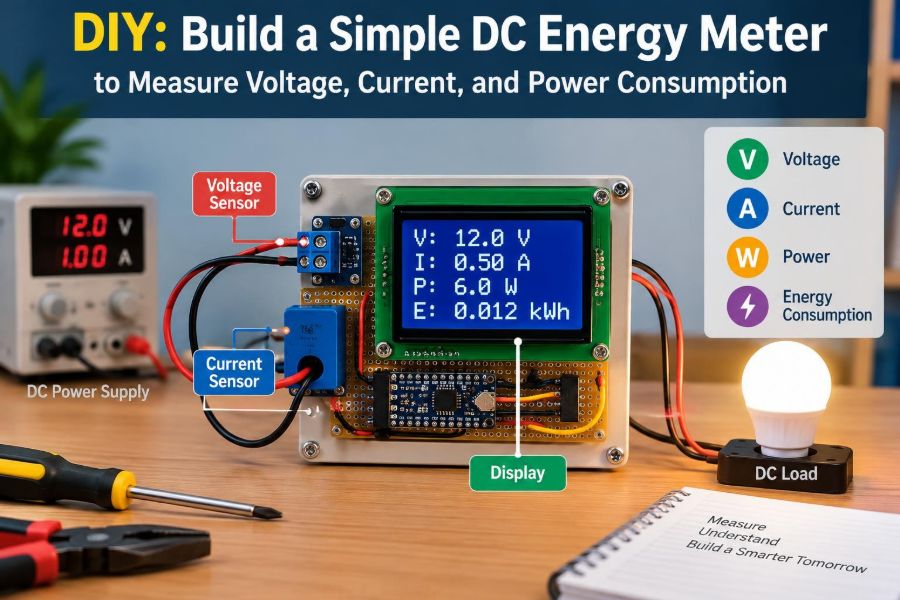
A simple DC energy meter makes those measurements visible. It can show supply voltage, load current, instantaneous power, and accumulated energy for projects powered by batteries, DC adapters, solar panels, or bench supplies.
This build is also a practical lesson in measurement engineering. The useful result is not just a display with numbers; it is knowing what each number means, where its error comes from, and how to use it safely.
🔋 What a DC Energy Meter Measures
A DC energy meter sits between a source and a load. It measures the voltage available to the load and the current flowing through it, then calculates quantities that are harder to see with a basic meter.
The core readings are:
- Voltage (V): electrical potential difference across the load supply.
- Current (A): rate of charge flow through the load.
- Power (W): the rate at which electrical energy is being transferred.
- Energy (Wh or mWh): power accumulated over time.
- Charge (Ah or mAh): current accumulated over time.
For a steady DC load, these values give a clear picture of demand. For a changing load, such as a motor or a microcontroller that wakes periodically, repeated sampling is what makes the meter valuable.
🧮 Why Voltage Alone Is Not Enough
Voltage tells you whether a source is present and roughly how strongly it can push charge through a circuit. It does not, by itself, reveal the load’s energy demand.
Consider two devices connected to the same 12 V supply. A small fan drawing 0.15 A uses far less power than a pump drawing 2 A, even though both see 12 V. Current provides the missing half of the picture.
In DC circuits, instantaneous electrical power is usually calculated as P = V × I. A 12 V load drawing 2 A consumes about 24 W at that moment. The word “moment” matters: if current changes, power changes too.
⏱️ Power Versus Energy
Power and energy are commonly confused because both describe electrical use. Power is a rate, expressed in watts. Energy is the total amount used over an interval, commonly expressed in watt-hours.
A 10 W device operating for three hours consumes approximately 30 Wh. A 30 W device operating for one hour consumes the same energy. The first has lower instantaneous demand; the second drains the source at a higher rate.
For discrete samples, a microcontroller approximates energy by adding small pieces:
energy_Wh += power_W × elapsed_time_hoursWhen the sampling interval is short relative to changes in the load, this approximation is usually suitable for a hobby or bench instrument.
🎯 Useful Applications for the Build
This meter is intended for low-voltage DC systems, not household mains. It is useful whenever you need to compare expected consumption with actual behavior.
- Checking a USB-powered device or a 5 V embedded project.
- Estimating the runtime of a battery-powered sensor node.
- Watching a DC motor’s startup current and running current.
- Measuring the output of a small solar-charging experiment.
- Characterizing LED strips, pumps, fans, and resistive heaters.
- Logging the consumption of a prototype before designing its power supply.
The same instrument can reveal faults. A fan that suddenly draws more current than usual may have mechanical drag, while a system that consumes unexpected energy may never be entering its intended sleep mode.
🧱 Choosing a Sensible Architecture
A practical DIY design has four blocks: a current sensor, a controller, a display, and a power arrangement for the electronics. The measured supply passes through the current sensor to the load, while the controller reads sensor data and updates the display.
A common and accessible combination is an Arduino-compatible microcontroller, an I²C current-and-voltage monitor module such as one based on the INA219, and a small I²C OLED display. Other controllers and sensor families work as well; the measurement principles remain the same.
Using I²C keeps wiring compact because the controller, sensor, and display can share the same data bus. The trade-off is that each I²C device must have a compatible logic voltage and a unique bus address where required.
🛒 Parts and Tools
For a modest-current educational meter, gather parts that match the voltage and current range of your intended project. Do not assume every inexpensive module has the same limits merely because it uses the same sensor chip.
- Arduino Uno, Nano, ESP32, or another suitable microcontroller.
- Current/voltage monitor breakout with a shunt resistor.
- 0.96-inch or similar I²C OLED display.
- Terminal blocks or suitably rated connectors for source and load wiring.
- Hookup wire for logic connections and heavier wire for load current.
- Fuse holder and correctly selected fuse.
- Enclosure, standoffs, switch, and strain relief if making a permanent unit.
- Multimeter, soldering tools, and a known test load.
A USB cable may power the controller during development. For a finished portable meter, use a regulated supply arrangement that suits the controller and remains electrically safe with the measured circuit.
📏 Define Voltage and Current Limits First
Start with the source you want to measure. A meter built for a single-cell battery has different requirements from one used with a 24 V motor supply. The sensor module, connectors, wiring, fuse, and enclosure must all tolerate the intended conditions.
Check both the sensor IC rating and the breakout-board rating. Board traces, terminal blocks, shunt resistors, and connectors may impose lower practical limits than the silicon itself. The stated range of a module may also depend on cooling and measurement accuracy.
Leave margin. Running a hobby module continuously at its advertised maximum current can create excessive heating and drift. If you expect several amperes or high startup surges, choose a sensor and shunt designed for that duty rather than forcing a small module beyond its comfortable range.
🔩 The Shunt Resistor: Where Current Becomes a Signal
Most compact DC current meters measure current indirectly with a shunt resistor: a precisely known, very low resistance placed in series with the load. Current through the resistor creates a small voltage drop.
Ohm’s law describes that drop: Vshunt = I × Rshunt. If 1 A flows through a 0.1 Ω shunt, the drop is 0.1 V. A monitor IC amplifies or digitizes this small signal and uses the known shunt value to calculate current.
The shunt is a compromise. More resistance produces a larger, easier-to-measure signal, but it also wastes more power and reduces voltage delivered to the load. Less resistance reduces loss but makes accurate low-current measurement more challenging.
📉 Understanding Burden Voltage
The voltage lost across a current meter is often called burden voltage. In a shunt-based design, it includes the shunt drop and may include losses in wiring, connectors, and protection components.
For a 5 V load, losing a few tenths of a volt can matter. A motor may run more slowly, a radio module may reset during bursts, or a circuit near its minimum supply voltage may behave unpredictably.
Measure the voltage at the load terminals with and without the meter in circuit if performance changes. This separates a genuine load problem from a measurement system that is unintentionally altering the experiment.
🔌 High-Side and Low-Side Current Sensing
A shunt can be placed in the positive lead or the return lead. In high-side sensing, it sits between the source positive terminal and the load positive terminal. In low-side sensing, it sits between the load return and source negative terminal.
High-side sensing is often friendlier for general-purpose instruments because the load ground remains directly connected to source ground. That helps when the load communicates with other grounded equipment or has external signal connections.
Low-side sensing can be simpler in some circuits, but it lifts the load’s local ground above source ground by the shunt voltage. That can confuse sensors, communication interfaces, and measurements referenced to ground. Follow the connection method specified by your sensor module.
🗺️ Plan the Wiring Before Applying Power
Draw the power path before cutting wire. The basic path is source positive to fuse, fuse to sensor input, sensor output to load positive, and load negative back to source negative. The controller reads the sensor over I²C.
Source + → Fuse → Sensor IN+ → Shunt → Sensor IN− → Load +
Source − ─────────────────────────────────────────→ Load −
Controller SDA/SCL/GND ↔ sensor and display
On many current-monitor modules, reversing IN+ and IN− will produce a negative current reading. That is not harmful in every case, but it makes the display and energy accumulation confusing. Verify labels against the module documentation rather than relying on board orientation.
🧷 Add a Fuse Close to the Source
A fuse protects wiring and equipment if a fault creates excessive current. Place it close to the source positive terminal so that the length of unfused wire is as short as practical.
Choose the fuse from the wire rating, expected normal current, startup behavior, and source capability. A motor can draw a brief surge much higher than its running current, so a fast-acting fuse sized only from normal current may open during normal startup.
A fuse does not make every wiring mistake safe, and it does not replace proper insulation. It is one layer of protection against fault energy, particularly important with batteries that can deliver very high current into a short circuit.
🧵 Use Wiring That Matches the Load
Logic jumpers are convenient for I²C signals, but they are not automatically appropriate for the high-current path. Use conductor size, insulation, connectors, and terminal blocks suitable for the actual current and environment.
Keep the high-current loop short. Long thin wires add resistance, which causes voltage drop and heating. They can also make measured load voltage less representative of the source voltage.
For a prototype, separate low-level signal wires from motor leads where possible. Motors and switching loads can inject electrical noise that causes display glitches, communication errors, or unstable readings.
🧠 Connect the Controller and I²C Devices
I²C uses two shared signal lines: SDA for data and SCL for clock, plus a common ground. Connect the controller’s SDA and SCL pins to both the current monitor and OLED, then connect their logic supply pins according to their requirements.
Do not casually power a 3.3 V-only display or sensor from a 5 V controller. Some breakout boards include regulation and level shifting; some do not. Check the board documentation and the controller’s pin-voltage limits.
Each I²C device needs an address that does not conflict with another device on the same bus. Many OLED modules use a small set of selectable addresses, while monitor modules may have address-selection pads or pins.
💻 Firmware Tasks in Plain Language
The program has a straightforward cycle: initialize the display and sensor, read voltage and current, calculate power, add energy based on elapsed time, then refresh the display.
Prefer elapsed time from a monotonic timer rather than assuming every loop takes exactly one second. Display updates, communication retries, and extra code can change loop duration. Real elapsed time makes accumulated energy more defensible.
read V and I
dt_hours = (now - previous_time) / 3600000.0
P = V × I
E_Wh = E_Wh + P × dt_hours
Q_Ah = Q_Ah + I × dt_hours
previous_time = now
Store values in floating-point variables during development unless memory or processor constraints require another approach. For a battery meter intended to run for days, consider carefully how numerical rounding and counter rollover will be handled.
🖥️ Design a Display You Can Read Quickly
A tiny screen cannot show every quantity at once without becoming cluttered. Put the readings needed for immediate diagnosis on the primary page: voltage, current, and power.
A second page can show accumulated energy, charge, elapsed time, and perhaps minimum and maximum current. If the controller has buttons, a short press can change pages and a long press can reset a measurement session.
Use units on every line. “1.25” is ambiguous; “1.25 A” is meaningful. Select milliampere and milliwatt units for small loads when useful, but avoid switching units so frequently that the display becomes hard to follow.
➗ Calculate Power Carefully
The familiar DC expression P = V × I works when V is the voltage and I is the current measured at the same operating point. Decide whether your displayed voltage is source-side voltage or load-side voltage, then label it accordingly.
Some monitor modules measure bus voltage on a particular side of their shunt. The current reading may be correct while the displayed voltage is not precisely the voltage at the load, depending on module wiring and library settings.
For most low-power projects, the difference is small. For a meter intended to evaluate voltage-sensitive loads or significant current, measure and document the point of reference. This is a measurement design decision, not merely a software detail.
🧾 Integrate Energy and Charge Over Time
Energy accumulation answers “how much work did the source deliver?” Charge accumulation answers “how much charge left the source?” Both are useful, but they are not interchangeable.
Suppose a battery-powered circuit draws 0.2 A for five hours. Its charge use is roughly 1 Ah. If its voltage during operation averages near 10 V, its energy use is roughly 10 Wh. Voltage changes, so the relationship between Ah and Wh is not fixed.
Reset energy and charge counters only at a known starting point, such as the beginning of a test or immediately after a battery is fully charged. Otherwise, a later reading has no clear test boundary.
🔄 Sampling Rate and Changing Loads
A slow display update does not necessarily mean slow measurement. The controller can sample several times per second, average or filter readings, and update the screen less often for readability.
For a steady resistive load, one sample per second may be adequate. For a PWM-controlled motor, radio transmitter, or rapidly changing digital load, slow sampling can miss peaks and underrepresent the true average.
There is no single ideal rate. Select it based on the fastest behavior you care about, the sensor’s conversion characteristics, and the controller’s available processing time. A basic energy meter is not a substitute for an oscilloscope when transient waveform shape matters.
🌊 Noise, PWM, and Motor Loads
DC does not always mean smooth current. A motor driver often controls speed using pulse-width modulation (PWM), rapidly switching the supply. Motors also generate electrical noise through brushes and inductance.
A meter may show a fluctuating reading even when the motor sounds steady. That can be a real consequence of switching, limited sensor bandwidth, wiring pickup, or an averaging method that does not match the waveform.
Keep leads short, use sound connections, and follow the module’s recommendations for decoupling capacitors. If adding capacitors near a motor, choose components with suitable voltage ratings and understand that they reduce noise; they do not eliminate every measurement limitation.
🧪 First-Power Test Procedure
Do not make the first test with an expensive or irreplaceable load. Begin with a benign source and a predictable load, such as a power resistor rated for the expected dissipation or a small lamp designed for the supply voltage.
- Inspect polarity, solder joints, exposed conductors, and fuse placement.
- Power the controller from USB and confirm the display and sensor are detected.
- Connect the DC source with no load and verify plausible voltage.
- Add the test load and observe current direction and magnitude.
- Check the shunt, connectors, and wires for unexpected warmth.
- Compare readings with an independent multimeter.
Disconnect power immediately if insulation softens, wires heat, a component smells abnormal, or the supply enters current limit unexpectedly.
✅ Validate Voltage Measurements
Use a multimeter with a known condition—fresh battery, regulated bench supply, or another stable source—to check the meter’s voltage reading. Measure at the same points your DIY meter claims to measure.
A small difference can come from meter accuracy, sensor resolution, wiring drop, or calibration constants. The aim is not to demand identical last digits from two instruments; it is to identify systematic error large enough to affect your intended decisions.
If voltage differs mainly under load, investigate wiring and burden voltage. If it differs by a similar amount with and without load, investigate sensor configuration, reference assumptions, and calibration.
🔍 Validate Current and Power Measurements
Current is best checked with a known load or a second meter placed appropriately in series. Be cautious: placing a multimeter configured for current directly across a voltage source can create a short circuit.
A resistive load offers a useful cross-check. If a measured load voltage is V and a separately measured resistance is R, expected current is approximately V/R, provided the resistor is not heating enough to change its resistance substantially.
Then compare calculated power with the meter’s displayed power. Agreement within the expected uncertainty suggests the calculation path is working; disagreement may reveal that voltage and current are being measured at different locations.
🎛️ Calibration: What It Can and Cannot Fix
Calibration adjusts the instrument so its readings agree more closely with a trusted reference under specified conditions. A simple approach is to compare readings at one or more stable operating points and adjust a software scale factor.
Calibrate voltage and current separately. For current, use more than one point if possible: very low current, a typical operating current, and a higher safe current. A correction that improves one range can make another range worse if the underlying behavior is nonlinear.
Calibration cannot correct every limitation. It cannot remove noise from poor wiring, prevent shunt heating, or make an unsuitable sensor accurately capture fast pulses. Treat it as refinement after sound electrical design.
🌡️ Temperature and Long-Test Drift
Resistance changes with temperature. As current flows, the shunt resistor warms, and its value may shift slightly. Nearby regulators, motor heat, and enclosure temperature can also affect readings.
For a short classroom test, this may be insignificant. For a long-duration battery study or a high-current instrument, let the system reach normal operating temperature before treating readings as representative.
Record ambient conditions and test duration when comparing experiments. This simple habit makes later results easier to interpret, especially when two apparently identical runs do not match exactly.
⚠️ Common Wiring and Code Mistakes
Many problems are predictable and easy to diagnose once you recognize their pattern.
- Negative current: sensor input and output are reversed, or the library sign convention differs from the wiring.
- Zero current with a working load: the load bypasses the shunt, or the sensor is not communicating.
- Wild readings: loose ground, noisy wiring, incorrect I²C voltage, or an unsuitable sampling method.
- Energy rises too quickly: elapsed time units are wrong, often seconds being treated as hours.
- Energy resets on reboot: counters exist only in volatile memory.
- Hot module or wires: current exceeds the practical rating, connections have high resistance, or a fault is present.
Fix the measurement path before adding elaborate software filtering. Filtering a wrong signal merely produces a smoother wrong answer.
💾 Saving Counters Across Power Loss
A basic meter loses accumulated Wh and Ah when its controller resets. That is fine for supervised bench tests, but inconvenient for a long battery-discharge experiment.
Nonvolatile storage can preserve counters periodically. Depending on the controller, this may be EEPROM, flash, or an external memory device. Save sparingly because some memory types have limited write endurance.
Store a version marker, accumulated values, and perhaps a checksum or simple validity field. On restart, tell the user whether the session was restored or a new session began. Silent assumptions about old data can be more misleading than losing it.
📊 What the Meter Cannot Tell You
A DC energy meter measures electrical input at its sensing point. It does not directly measure battery state of health, remaining runtime, motor torque, light output, or heat produced by the load.
It also cannot automatically identify where energy is being wasted. If a device consumes 8 Wh, the meter reveals the amount delivered, not whether the loss occurred in a regulator, motor, wiring, firmware behavior, or mechanical friction.
Use it alongside other observations: battery voltage under load, temperature, runtime, device behavior, and, where appropriate, oscilloscope measurements. Good engineering conclusions come from matching the instrument to the question.
🛡️ Safety Boundaries for a DIY Meter
This project is for isolated low-voltage DC work within the ratings of every component. Do not adapt a breadboard-based meter to automotive starter circuits, large battery banks, or mains-derived systems without designing for the relevant voltage, fault current, insulation, enclosure, and measurement requirements.
Rechargeable batteries deserve particular respect. Even a low-voltage pack can supply enough current to heat wire rapidly, damage components, or cause burns during a short circuit. Remove rings and conductive jewelry when working near exposed battery terminals.
Enclose permanent builds. Cover terminals, prevent wires from pulling loose, label polarity, and keep the fuse accessible. A tidy instrument is easier to troubleshoot and less likely to create a new hazard while measuring another circuit.
🚀 Sensible Upgrades After the Basic Build
Once the meter gives stable and validated readings, improvements can make it more useful without changing its core purpose.
- Add data logging to a memory card for long-duration load profiles.
- Add Bluetooth, Wi-Fi, or USB serial output for graphing data on a computer.
- Include a real-time clock so log entries have timestamps.
- Add an alarm for overcurrent, undervoltage, or energy budget limits.
- Use a higher-current external shunt and a compatible monitor for larger loads.
- Add separate source-side and load-side voltage sensing to quantify cable loss.
Build upgrades around a clear question. Logging is worthwhile if you need to find an overnight current spike; it is unnecessary complexity if you only need to check a fan’s running current.
🧭 Reading Results to Make Design Decisions
The most useful outcome is an engineering decision. If a sensor node uses much more energy than predicted, examine its active time, sleep current, regulator quiescent current, and peripheral power states. If a motor’s current spikes at startup, select a supply and fuse that tolerate the event.
For example, a hypothetical 12 V pump may draw 1 A while running but briefly draw several times that value as it starts. A meter with modest sampling may show the running demand clearly but miss the exact peak. That still tells you to investigate startup behavior with a faster instrument before finalizing the power design.
Numbers become useful when connected to a design limit: required battery runtime, wire temperature, adapter capacity, or acceptable voltage sag.
🧾 Build Notes for Repeatable Experiments
Keep a simple record for each test: source type, starting voltage, load description, meter configuration, test duration, ambient conditions, and any observed behavior. This turns a one-off reading into evidence you can compare later.
Label units and reference points in notes. “12.1 V” is incomplete unless you know whether it was measured at the battery, the sensor input, or the load. This distinction becomes increasingly valuable as wires lengthen and currents increase.
Repeat a test when a result seems surprising. Consistent repeated behavior is more informative than a single attractive number on a display.
🏁 The Core Principle: Measure at the Right Point, Over Time
A useful DC energy meter does more than multiply two readings. It measures current with a known sensing element, pairs that value with a meaningful voltage measurement, and integrates power using actual elapsed time.
Its reliability depends on the whole chain: correctly rated hardware, thoughtful wiring, an appropriate sample rate, sensible firmware, and comparison against independent references. No single line of code can compensate for an undersized shunt, loose connector, or unsuitable test method.
Build the first version simply, validate it with known loads, and document what it measures. From that foundation, you can add logging, alarms, higher ranges, and better calibration with confidence.
A DC energy meter is most valuable when it turns electrical behavior over time into measurements you can trust well enough to make a better design decision. Start with low-voltage loads, verify each reading, and let the data guide the next improvement. ⚡🔋📏